How to Evaluate an Educational App Before Buying It
Five quick checks reveal whether an educational app actually teaches or just entertains.
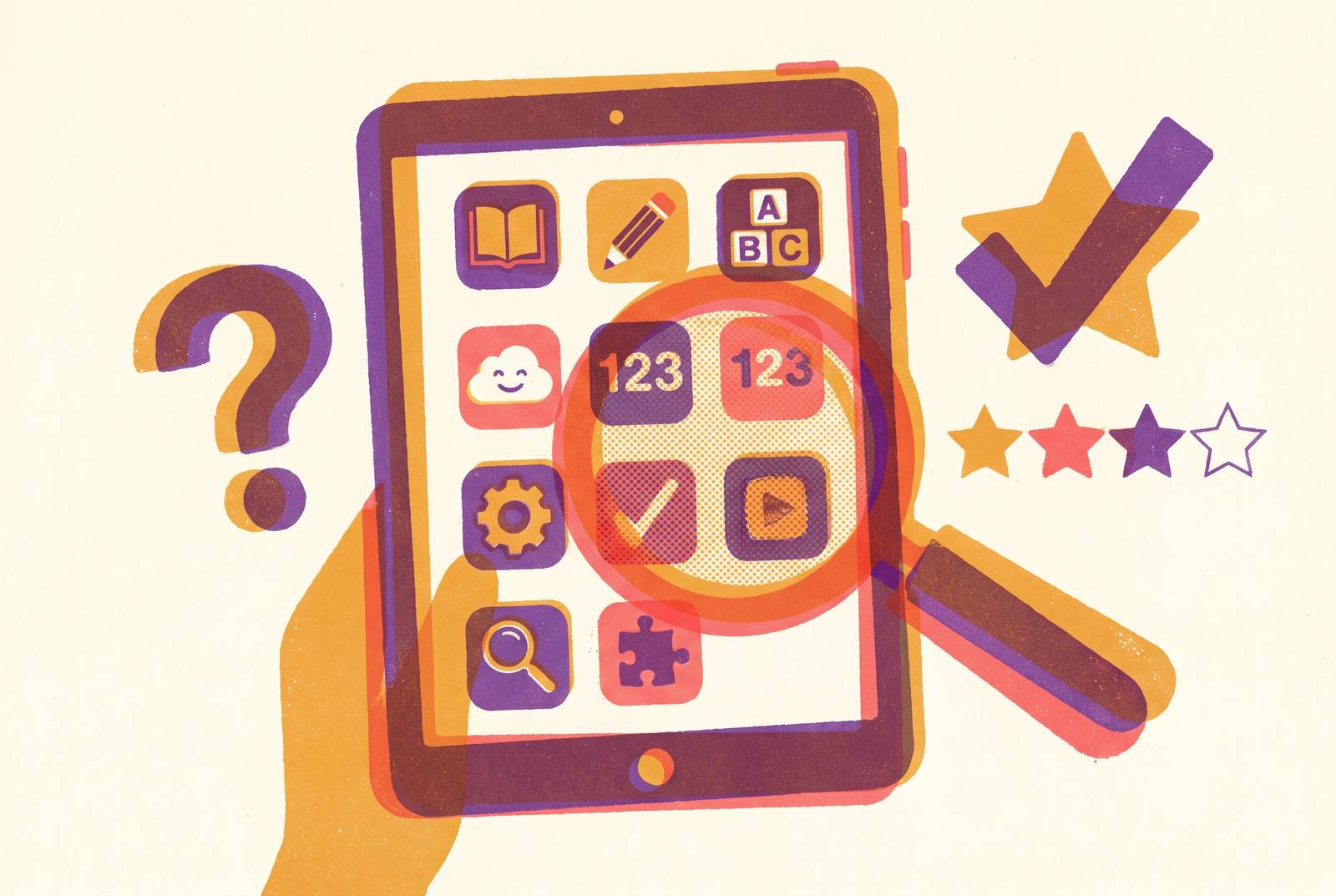
A parent can judge an educational app in about ten minutes, without a subscription, by checking five things: whether the content follows a real developmental sequence, whether error feedback explains rather than just corrects, whether the app actually adapts to what the child does, what the reward system reinforces, and what the parent dashboard shows after a session. Apps that pass all five, the way a well-built reading or math tutor like Ello aims to, are doing something fundamentally different from apps that only pass the interface test. The rest of this piece explains why those five checks matter and how to run them before spending a dollar.
The Educational App Market's Signal Problem for Parents
Searching the App Store for "reading app for kids" exposes the problem fast. Dozens of five-star listings, thousands of reviews, and almost none of them say anything about how a child actually learns to read. None of that tells a parent whether the app teaches anything.
The word "educational" carries no enforced standard. A parent cannot use the category itself as a filter, because the category was never built to filter anything. That's a different problem than having too few good options. There are plenty of options. The trouble is that the market gives parents no reliable signal for which ones actually build skills and which ones just hold a child's attention for twenty minutes.
Those two things, attention and instruction, are not the same, and an app can excel at one while doing nothing for the other. Engagement is easy to manufacture. Learning is harder to verify, and verifying it requires knowing what real instruction looks like underneath the packaging. That's the gap this piece is built to close: not which app is most popular, but which one is actually teaching.
What Genuine Reading Instruction Requires From an App
Children learn to speak by being surrounded by language. They do not learn to read the same way. Reading is not a skill that unfolds naturally from exposure, and the body of research known as the Science of Reading is clear on this point: most children need direct, structured, and sequenced instruction to connect letters to sounds, build those sounds into words, and turn word recognition into meaning.
Five components do that work together: phonemic awareness, phonics, fluency, vocabulary, and comprehension. Phonics builds the letter-sound connections on top of that foundation. The second child is pattern-matching a picture, and that habit will stop working the moment the pictures disappear.
Once decoding becomes automatic, a child's attention is free to focus on what the words mean. An app that skips ahead, rewarding a child for recognizing letter names as though that were equivalent to reading, or letting a child guess a word from context and move on without ever decoding it, produces the appearance of progress while the actual skill stays undeveloped.
Good reading instruction, whether delivered by a teacher or an app, shares four qualities. An app grounded in the Science of Reading will teach all five components, phonemic awareness, phonics, fluency, vocabulary, and comprehension, in a structured sequence that builds on what came before rather than folding them into one undifferentiated "reading game." Ello illustrates what that looks like in practice: instead of moving a child through a fixed set of levels regardless of how they perform, it adapts instruction moment to moment as the child reads aloud, adjusting to what the child actually gets right or struggles with.
What genuine early math instruction requires from an app
Early math instruction runs into the same trap as reading instruction: recognizing a symbol gets mistaken for understanding what it means. Number sense is built on understanding cardinality (that the last number counted tells you how many objects there are), enumeration, and the relationships between quantities, not on the ability to recognize that the shape "3" is called "three."
Picture a child physically moving three blocks into a pile and counting them aloud, one, two, three, and then naming the total. That child is building number sense. Now picture a child tapping the numeral "3" on a screen because it happens to be the biggest shape in a row of three. That child may advance to the next level without ever grasping what three actually represents. An app that substitutes symbol-matching for real number-sense building trains a child to perform correctly without building the understanding the performance is supposed to reflect.
A math app worth a subscription pairs mathematical language with symbolic practice, because the two develop together in young children, not in sequence. A math app built by people who actually understand childhood numeracy development and aligned to recognized educational standards will make sure that when a child advances a level, they've built real number sense. That distinction, between understanding and performance, is what a parent should check for in a free trial before paying for anything.
The five criteria that appear in every serious app evaluation framework
Published rubrics for evaluating children's educational apps don't share one universal fixed checklist, but the same handful of criteria appears across nearly all of them, and parents can check each one in a free trial before spending anything.
Navigation is the first. A child should be able to move through the app without an adult guiding every tap. If a four- or five-year-old gets stuck or lost in menus, the app was not designed with its actual user in mind.
Screen design is the second, and it is not a question of looks. A clean screen that keeps the learning task visible and central is a sign the opposite choice was made.
Learner control is the third. Children learn at different speeds, and a child should be able to pause, revisit a skill, or move at their own pace rather than being locked into a fixed sequence that ignores how they're actually performing. An app that marches a child forward regardless of whether they understood the last lesson is not adapting to the learner in front of it.
Content appropriateness is the fourth. An app that presents phonics patterns in a random order, or blends pre-K content with second-grade content without tracking which one the child needs, fails this test no matter how polished the production value looks.
Feedback quality is the fifth, and it's the easiest one to test directly. Open the app, deliberately answer a question wrong, and watch what happens. An app that explains the mistake, walks through why the answer was wrong, and shows the correct reasoning is teaching. An app that just flashes red and moves on, or doesn't slow down at all, is grading. That one test, give a wrong answer on purpose and watch the response, takes about thirty seconds and tells a parent more than most of the five-star reviews combined.
What "Adaptive" and "AI-Powered" Mean
The word "adaptive" appears on nearly every app store listing now, and it can mean two very different things. It might mean the app builds a real-time model of what a specific child knows and adjusts both the content and the teaching method accordingly. A parent cannot tell which one they're getting from the word alone.
Genuine adaptive instruction changes more than difficulty. Purpose-built teaching apps are designed around that responsiveness from the start, while generic tools or quiz-based platforms often bolt an adaptive-sounding feature on afterward without rebuilding the underlying instruction around it.
An AI that hands a child the answer instead of guiding them toward it encourages the child to stop thinking and start waiting for the app to solve the problem. A child can finish a session having answered everything correctly without having worked through a single problem independently. A well-designed AI prompts, asks a guiding question, offers a hint, or narrows the problem for the child.
Five questions separate a genuine AI tutor from a relabeled difficulty slider. Does the app disclose clearly that it uses AI, and does the company explain what that AI actually does? What data does it collect from the child, and how is that data protected? Can a parent actually see what the AI is doing, through a real progress report, or is the whole interaction a black box with no window into it?
Ello was built to listen to a child's voice in real time, adjust instruction as the child reads, and give parents a clear view of what happened during the session. That combination, listening, adjusting, and reporting, is what the five questions above are designed to detect. An app that can answer all five with a clear yes is doing something different from a quiz app with a difficulty dial relabeled as AI.
How reward design reveals an app's underlying priorities
An app's actual philosophy becomes visible fast in what it rewards. An app that ties its rewards to content, a correct answer, a decoding challenge solved, a word read aloud, teaches a child that mastery is the point. An app that rewards collecting stars, unlocking costumes, or racking up points unrelated to any specific skill teaches a child that running the reward loop is the point.
There's a direct way to test this. After a ten-minute session, ask the child what they learned. A child who answers with a skill, a word, a strategy, "I learned how to sound out words with 'bl' at the start," had feedback connected to actual content. A child who answers by describing a prize earned or a level unlocked spent ten minutes chasing the reward loop.
Busy hands don't mean an active mind. A child tapping rapidly through a matching game might not be thinking about anything at all, while a child who pauses to sound out a word before tapping an answer is doing real cognitive work, even though the second child looks slower and less "engaged" on the surface. Feedback language matters here too. "You figured out that word by blending the sounds, that's exactly the strategy good readers use" tells a child what they did right and builds the kind of self-awareness that helps them repeat the strategy next time. "Great job!" tells a child nothing they can use again.
What Progress Reporting Should Tell Parents
A parent dashboard tells a parent which specific skills a child has mastered, which skills they're currently working on, and what's coming next. "Time spent" and "levels completed" are activity metrics. They describe what a child did, not what a child learned, and an app that only reports those numbers hasn't told a parent anything about instruction.
An app with no real reporting for parents has either failed to measure learning at all or has something to measure and chose not to show it. Neither one belongs in a tool marketed as educational. This ties directly back to the criteria covered earlier: an app with strong learner control and well-sequenced content should be able to show a parent exactly where a child sits in that sequence, because the data to do so already exists inside the app.
Curriculum alignment is the test for whether a progress report means anything. A report that names recognizable skill categories, phonemic awareness, decoding, fluency, number sense, is anchored to a framework a parent or a teacher can recognize and cross-check. A report that only shows proprietary level numbers or a star count can't be compared to anything outside the app itself. The best reports also connect to what a parent can actually do at home. A report that says a child is working on blending consonant clusters gives a parent something concrete to practice during a car ride or a bedtime story, rather than just a number with no instructional meaning behind it.
Putting the Criteria Together Into a Ten-Minute Evaluation
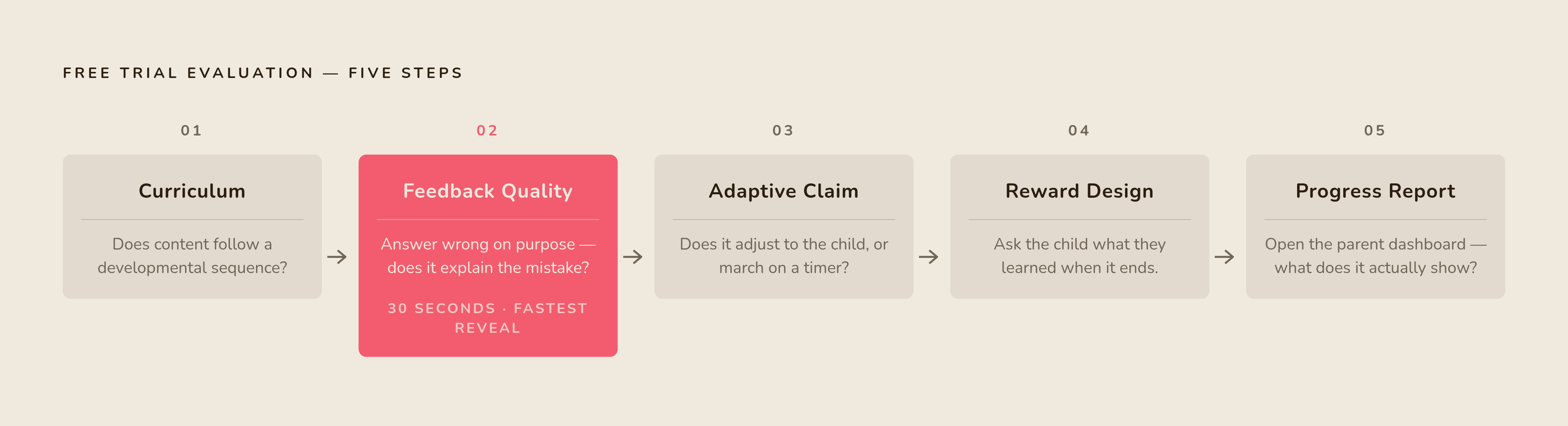
Run the checks in sequence, not all at once. Start with curriculum: does the reading or math content follow a developmental sequence a parent can recognize, or does it jump around without regard for what comes before what? Move to feedback quality: deliberately answer a question wrong and see whether the app explains the mistake or just flags it. Then test the adaptive claim directly: let the child use the app without coaching and watch whether it actually changes based on what the child does, or whether it just marches forward on a timer. Then check reward design: ask the child what they learned when the session ends. Finally, open the parent dashboard and see what it actually reports.
All five checks fit inside a single free trial, before a card number ever gets entered. All it takes is ten minutes and a willingness to watch closely, checking what the app actually does against what the app store listing claims.
The strongest apps pass all five. An app that fails any of the first three, curriculum, feedback, or adaptation, should not get a pass because the interface looks polished or the branding is confident. Those two things are the easiest for any developer to fake, and the hardest to connect to actual learning.
A parent who runs this sequence once has a tool that works on every app that comes after it, long after any single recommendation goes out of date. The algorithm behind the app store's five-star ratings was never built to tell a parent what their child is actually learning. A ten-minute trial run, done with the right five questions in hand, tells them exactly that.
Sources
- Supporting fluency and comprehension using practices grounded in the science of reading - Teach. Learn. Grow.
- 8 science of reading strategies - Teach. Learn. Grow.
- Educational Apps as a Sustainable Tool for Learning: Turning “Lemons” to Lemonade - Joanne Lee, Eric Terry, Eileen Wood, 2026
- Evaluating educational apps for preschoolers: Differences and agreements between the assessments of experts, parents, and their children - ScienceDirect
- Reciprocal development of numeracy, mathematical language, and general language skills from age 2 ½ to 4 years: A cross-lagged panel perspective - ScienceDirect
- ISTE
- (PDF) Creating a Framework for Selecting And Evaluating Educational Apps
- Tools to Evaluate Educational Apps - UW-Stout